
- Formal portrait. One or two final images per person, retouched, as high-resolution JPGs for press and print.
- Web version. Lightweight JPG at 1,600 to 2,000 px on the long side, made for the team page.
- Profile crop. Square 1:1 format from 400 × 400 px, suited to LinkedIn's circular crop and email signatures.
- Horizontal with breathing room. 16:9 or 3:2 format with space at the side for text on the web or in presentations.
- Work scenes. A series of images of processes and spaces, organized by department for marketing and communications.
- Selection gallery. A private online gallery with the proofs, to choose from within the agreed time frame.
Corporate photography · Bogotá
Corporate photography in Bogotá, Colombia, for your team and your brand.
Portraits of executives and teams, plus work scenes for your website, LinkedIn, press and proposals. Tell us how many people are involved and where you'll use the photos.
Request a quoteI prefer WhatsApp ↗
Based in Bogotá · Scope and deliverables in writing
The service at a glance
What can you hire Sequoia Studio for?
Corporate photography and executive portraits based in Bogotá: presenting executives, spokespeople and teams with a consistent image for the web, LinkedIn, press and proposals.
- What it can include
- Individual and team portraits, work scenes, selection, natural retouching and formats for each channel, as agreed.
- What we need to know
- List of people and job titles, how each image will be used, the available location or office, a reference style and the date.
- Price and date
- Confirmed per project, after reviewing the scope. There is no one-size-fits-all package and no guaranteed availability.
Compare with other services · Meet the studio and how we work · See our own sample and its context
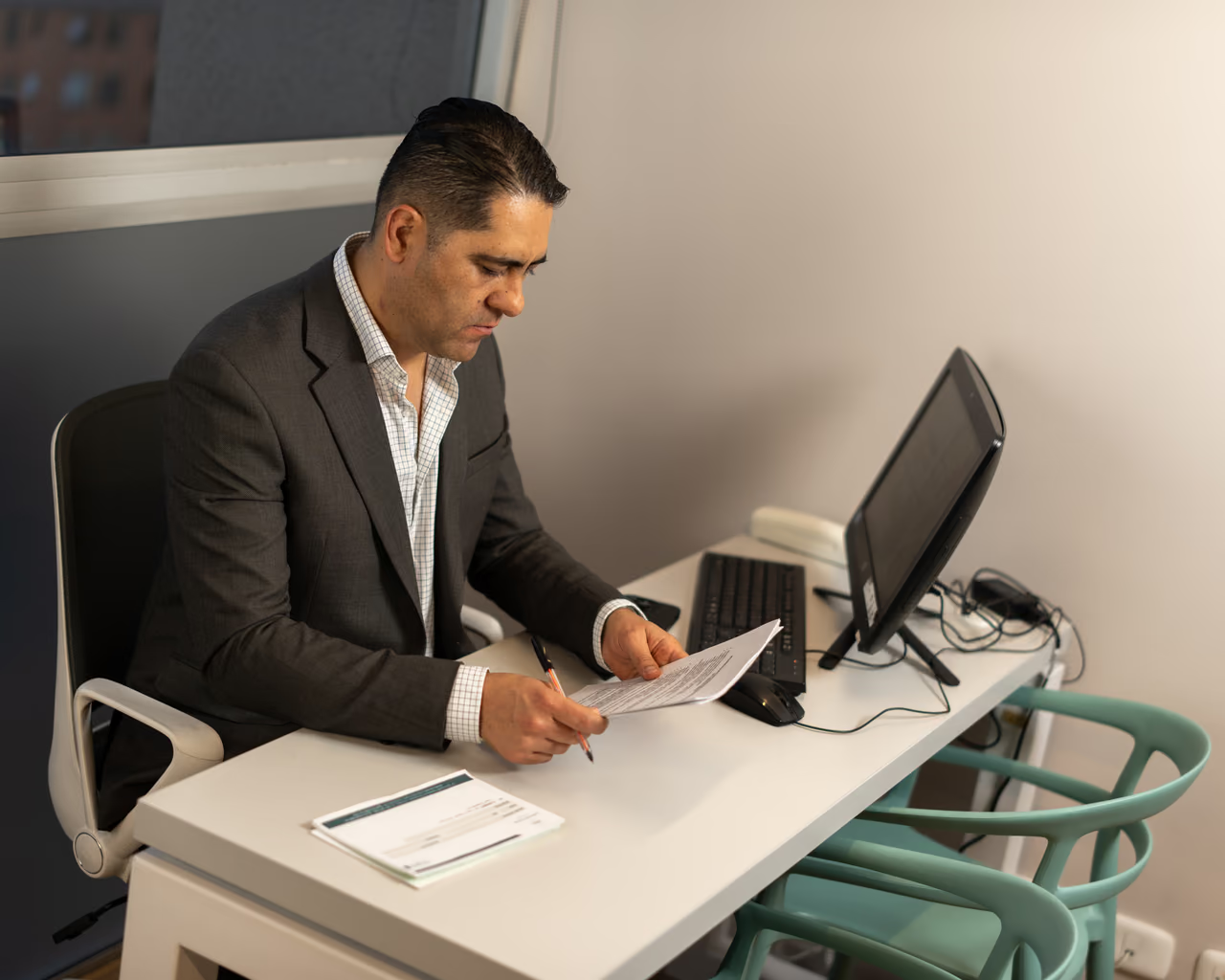
Photo archive
The image, in detail.
Photography by Sequoia Studio · Selected by Ronald Infante.
A selection from our photo archive: directing people, product and lighting. These images are photographs, not video stills or video cases for this service.
Corporate
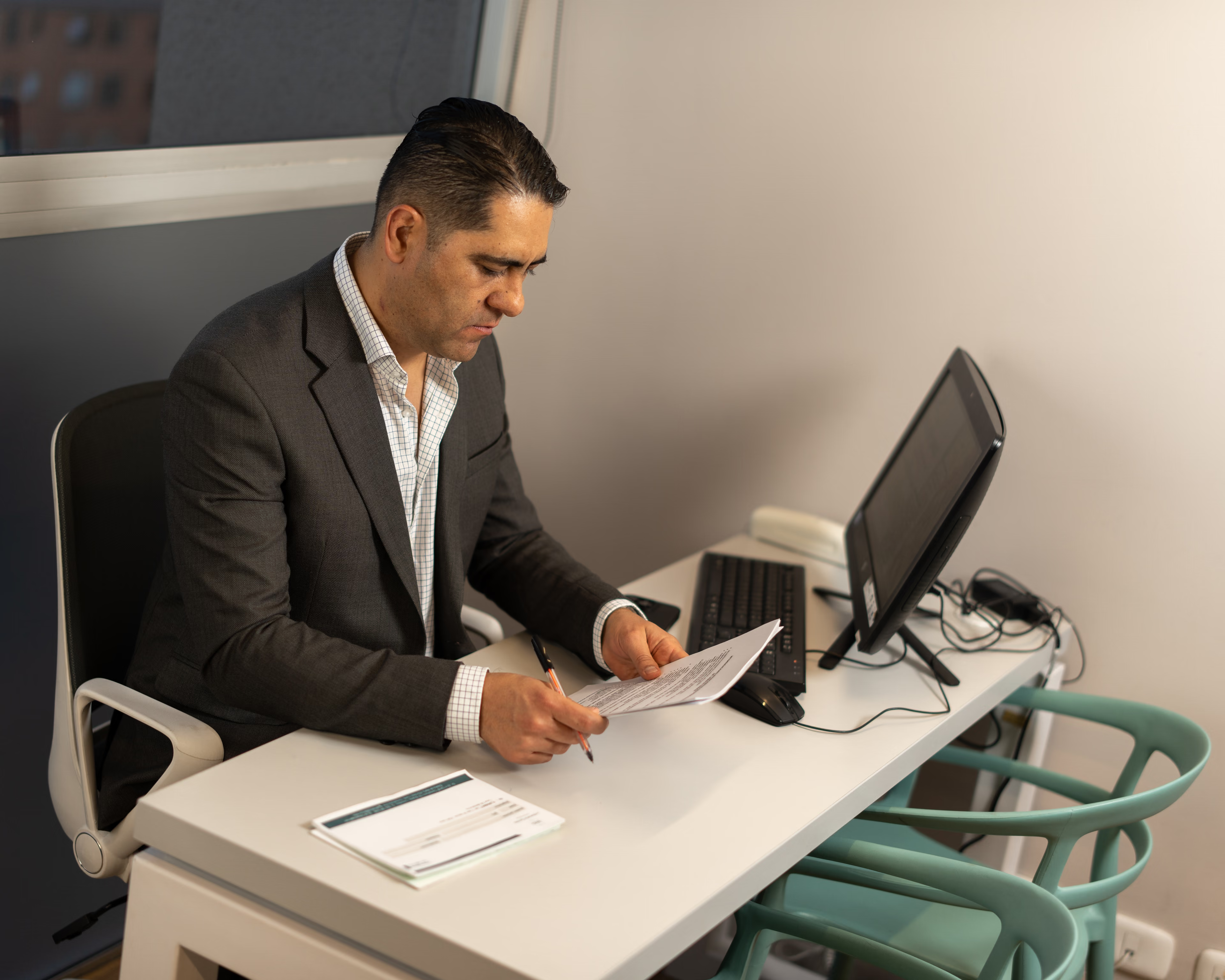
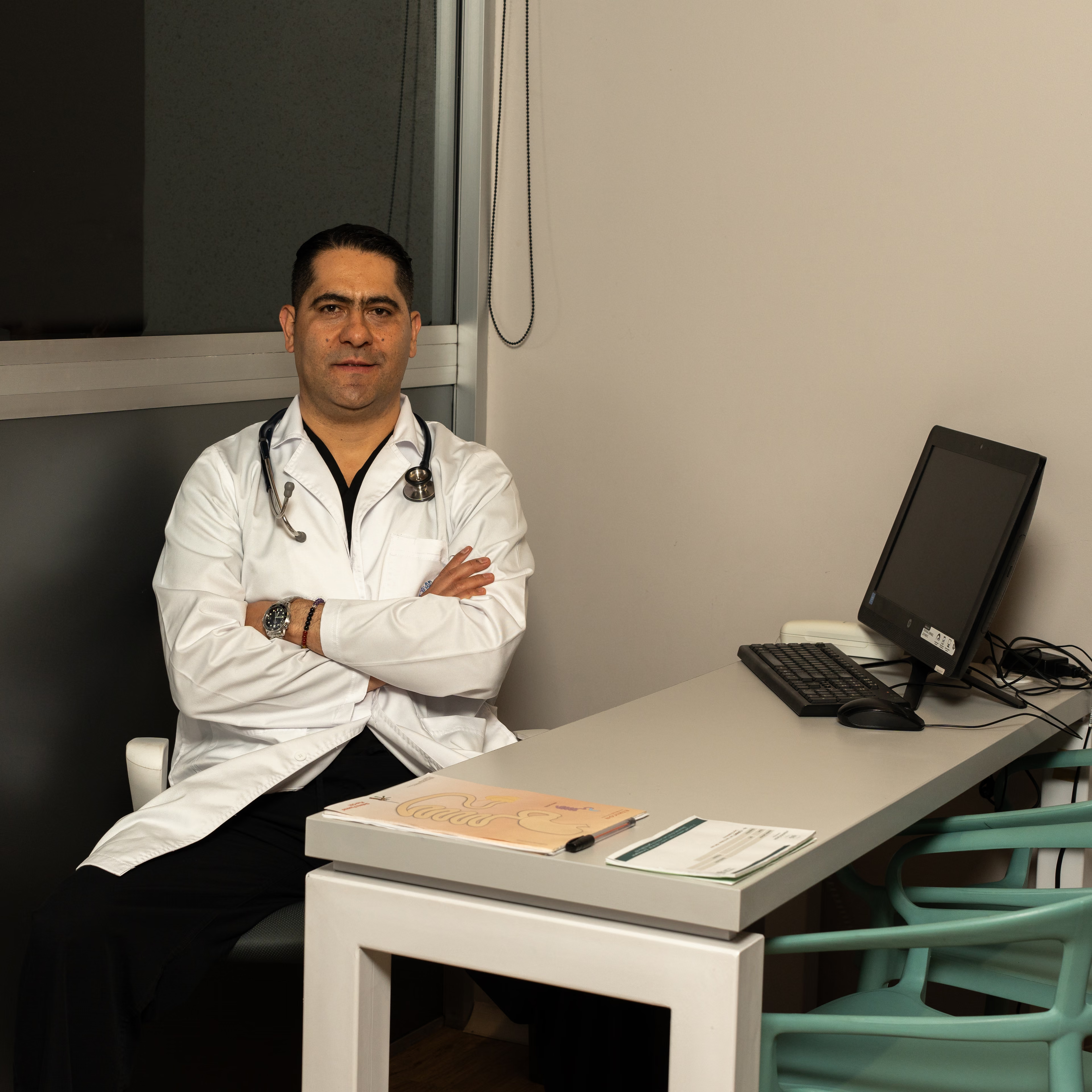
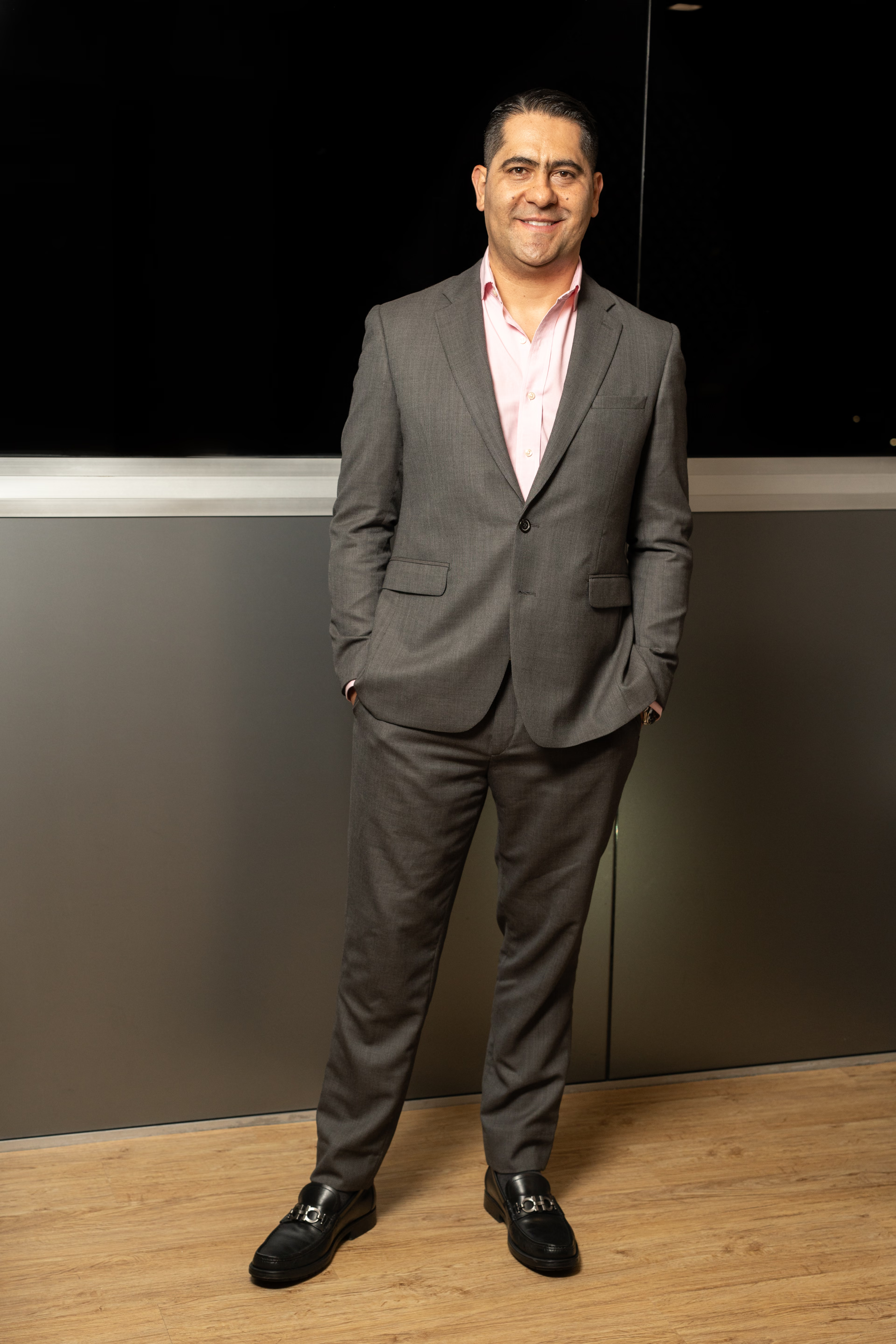
What it can include
Deliverables shaped by how they will be used.
It's a good fit when your website mixes photos from different periods and of different quality, when an executive needs an image for the press or an event, or when you want to show your team and your spaces with a single visual style.
- Executive portraits for the web, LinkedIn and press
- Team portraits with consistent light, background and framing
- People working in their real spaces
- Selection, natural retouching and formats for each channel
In practice
What is delivered and how long it usually takes.
A corporate session usually involves the photographer, who directs each person, a lighting assistant and, when booked, a makeup artist; on the company's side, someone who coordinates the time slots and gives approval on the spot.
- Planning and wardrobe guide: One to two weeks before the session
- Session: Half a day to a full day per location, depending on the number of people
- Selection gallery: Usually 2 to 4 business days after the session
- Retouching and final delivery: 5 to 7 business days after we receive the selection
These are typical ranges for a standard project; the actual schedule is confirmed in writing with the scope.
Evidence and investment
What you can verify before requesting a quote.
We publish the evidence that exists and state its limits. The budget is built on a comparable scope, not on a generic figure that changes later.
Portrait, fashion and product work from Ronald Infante's archive.
The photography portfolio brings together portrait, fashion, editorial and product work photographed by Ronald Infante, with authorship stated and every image in its full frame. The office portrait that opens this page belongs to that same archive; we do not present it as a client company's case or attribute any results to it.
View the photography portfolioA figure that matches the scope.
In corporate photography, the price depends mostly on how many people are photographed, how many types of image each one needs and how many locations or offices have to be covered. A formal portrait on a single background is quick; adding environmental portraits, work scenes, makeup, a group photo or several days changes the time and crew required. The level of retouching and the delivery deadline also play a part.
Share your project and budget rangeService guide
Decisions that improve the result before production.
This guide explains the scope, the variables and the criteria worth reviewing so you can hire with comparable information.
Read the full guide to preparing your project
What this service is and what problem it solves
Corporate photography is the imagery a company uses to present its people, its spaces and the way it works. It includes executive portraits of leaders and spokespeople, team portraits in a shared style, and work scenes at the office, on the plant floor or at the service counter. It is not an ID photo with better lighting: framing, background, posture and expression convey approachability, authority or rigor, depending on what the organization needs to communicate. When all the portraits follow the same line, the website, proposals and professional profiles read as a single brand rather than a collage of photos taken at different times.
A corporate session brings together three types of image with different jobs. The formal portrait identifies: it serves the team page, the press and profiles. The environmental portrait shows character and context, useful for interviews or reports. Work scenes show how the company operates and accompany proposals and the services section of the website. Deciding the balance among the three guides how the time on the shoot day is divided.
When it makes sense to produce it
It makes sense when the team page mixes selfies, crops from event photos and pictures from years ago; when an executive is about to give an interview, speak at a conference or post on LinkedIn; or when the company opens a new office, rebrands or needs its own images for its annual report and sales proposals. It also solves something practical: having a bank of approved portraits that PR, marketing and HR can use without asking for permission every time. If your team is growing fast, it's worth defining a replicable style, so each new person is photographed the same way as those before and the team page stays consistent over time.
There are less obvious uses that justify the session: the team résumés that accompany a bid, consulting proposals where the client wants to see who will work on their project, ID badges and internal directories, or a speaker's introduction at a conference. If the date is tied to a website redesign or an annual report, it's wise to schedule the session with enough lead time for selection and retouching before the deadline.
How to turn the brief into a plan
To plan the session we need the list of people with name and job title, the uses of each image, the reference style and the available space. It helps to know whether there are existing portraits that need to be matched, which brand colors to avoid in the background and who approves the final selection. With that information we propose a wardrobe guide, a schedule in blocks and a background plan: a neutral wall, a blurred office setting or a work scene. If people from several offices take part, or on different dates, we record the position of the lights, the distance and the camera height so we can repeat them on the next shoot day.
On the company's side, it helps a great deal when one person coordinates the schedule: they send the invitation with each person's time slot, send a reminder about the wardrobe guide a couple of days before and keep a backup list on hand in case someone is absent. It's also useful to know in advance who wears glasses, who prefers not to be photographed from a certain side and who has little time available, so the slots can be arranged without improvising.
Pre-production, crew and execution
On the day of the session we set up the lights before people arrive, run a test and confirm the framing with the person in charge. Each portrait starts with a few minutes of conversation: most people don't feel comfortable in front of a camera, and directing posture, gaze and expression makes the difference between a stiff photo and one that looks like the person. At the office we look for a clear corner, near natural light when it helps, and take care not to interrupt operations. Work scenes are planned with the team so the actions are real and any visible documents, screens and brands have been checked.
The usual approach is to show the photos on a screen as they are taken, so each person sees how they look and chooses with us the expression that represents them. That reduces anxiety and later reshoots. The formal portrait comes first, since it demands more precision, and the environmental portrait follows, once the person is more relaxed. The group photo is scheduled at the beginning or the end, at a time announced in advance, because gathering everyone in the middle of the day almost never works.
Deliverables for each channel
Delivery is organized by person and by use. It normally includes a selection for the team to choose from, the final retouched images in high resolution for press or print, lightweight versions for the web and square crops that work on LinkedIn, email and internal directories. If the site needs horizontal formats with space for text, they are shot with that breathing room from the start, because cropping later doesn't always work. We agree on file names with each person's name and job title, the color profile and the delivery method. It's also wise to put in writing who can use the images, in which media and for how long, especially if someone leaves the company.
Selection usually happens in a private gallery where each person, or the coordinator, marks their favorites within an agreed time frame. It's practical to set a number of final images per person, for example one formal and one environmental, and to offer additional images as an option. Work scenes and the group photo are delivered separately, organized by theme, because they are used by the marketing team rather than by each employee on their profile.
What changes the budget
The variables that move the budget most are the number of people, the number of backgrounds and locations, travel between offices, full or half shoot days, the level of retouching, the number of final images per person and the intended uses. Makeup, styling or work scenes with several people add time and crew. Twenty identical portraits on the same background are produced very differently from five executives photographed in different spaces, each with a formal portrait and a work scene. If you already have a budget range, sharing it helps us prioritize: sometimes it makes sense to photograph the spokespeople first and leave the rest of the team for a second shoot day with the same lighting.
Some decisions help the budget go further: bringing the people from one office together on a single shoot day, with short slots for the formal portrait; reserving makeup for spokespeople and executives who will appear in the press; and using the same appointment to shoot work scenes with the people already on set. If the budget is limited, a well-made formal portrait for everyone is usually a better starting point than many scattered scenes.
A comparable quoteIt should state the creative scope, shoot days, crew, post-production, versions, revision rounds, rights, schedule and what is not included.
How we review quality
A good corporate portrait is recognizable because the person looks like themselves on their best day: a purposeful gaze, a natural posture, skin with texture, and color true to the clothing and the real skin tone. In a team, quality shows when you see all the photos together: the same eye level, the same head size within the frame, a consistent background and color temperature. We check the details that cost you later: crooked collars, glasses with reflections, forgotten ID badges, cables or papers in the background. Retouching corrects what is temporary without changing features. If the images look good as a LinkedIn thumbnail and also printed at a generous size, the job is done.
A useful test is to drop two or three portraits into the actual website or presentation template before closing the selection: that is where you see whether the framing leaves room for the name, whether the background clashes with the brand colors or whether one photo is darker than the rest. Another sign of quality is that each person approves their image without reservations; a photo its owner doesn't want to use is useless, even if it is technically correct.
How to compare production companies and proposals
When comparing photographers or production companies, ask to see portraits of real people, not just models, and check whether they stay consistent across a series. Give everyone the same list: number of people, location, backgrounds, uses and final images per person. Ask what each proposal includes: lighting setup, direction during the session, selection, level of retouching, delivery formats, timelines and usage terms. Confirm whether the price is per person, per shoot day or per final image, and what happens if someone doesn't show up on the agreed day. Two quotes with similar figures can include very different things, and those differences surface exactly when you need to repeat the session with someone new.
Beyond the portfolio, ask how the photographer works with people who don't feel comfortable in front of the camera, because in a company that is the most common case. If you already have portraits that need to be matched, ask for the proposal to explain how that continuity will be achieved. And ask to see the same image before and after retouching, so you can judge whether the style of correction feels natural or too polished for your team.
Common mistakes to avoid
The most common mistakes are booking the whole team at the same time without slots, giving notice the day before and finding half of them without the agreed clothing, choosing a background that clashes with the brand, or shooting without knowing where each image will be published. It also happens that a style is approved with the first person and then changed halfway through the day, or that someone needs an urgent photo for the press before the selection is finished. A wardrobe guide sent in advance, a schedule for each person, a reserved room and a single approver on the company's side solve almost all of these problems before the first light is switched on.
Work scenes carry risks that portraits don't: screens showing client information, boards with internal data, visible third-party logos or, on a plant floor, people without the protective equipment their job requires. A photo like that can end up unusable or create a problem. It's worth walking through the spaces beforehand with someone from safety or quality and agreeing on what is shown, what is covered and who approves images that contain sensitive information.
What should be in writing before we start
Before the session, the final list of people should be in writing, with each name exactly as it should appear, job title, office and time slot, plus the types of image for each person: formal portrait only, formal and environmental, or taking part in work scenes. That document is later used to name the files and to check that no one was left out. If there are substitutes or people still to be confirmed, they are flagged so we don't reserve time that may not be used.
The approved style is also put in writing: background, type of light, framing and level of retouching, ideally with one or two reference images. We agree on how many final photos each person receives, the deadline for choosing them and who decides when the person and the company disagree. If the company hires often, it's worth agreeing from the outset on how and how often short sessions will be held for new hires.
Finally, releases and archiving. We recommend that each person sign an image release for the agreed purposes, which HR keeps with the rest of their documents. It is also defined how long the original files are kept, whether the company receives all the photos or only the selected ones, and who receives them if someone later asks for a new version of their portrait.
Process
Clarity before, during and after.
Every stage ends with a specific decision or approval. That protects the schedule, the budget and the creative intent.
Uses, people and style references
We define where each photo will be used, who is being photographed and which reference style all the portraits should follow.
Location, schedule and wardrobe guide
We choose the space, set up a time slot for each person and send a simple wardrobe guide so no one arrives with doubts.
Sessions in blocks, at the office or in a studio
We set up the lights before people arrive and shoot in blocks, without stopping the office's operations.
Selection, retouching and delivery by format
Each person chooses in a private gallery, we retouch with a natural touch and deliver files that are named and ready for each channel.
Frequently asked questions
What to define from the brief.
What should people wear to a corporate photography session?
What you would wear to an important meeting at your company, well pressed and well fitted. Solid colors work better than fine stripes or small prints, which can shimmer on screen. If the team is photographed separately, agree on a shared level of formality. Bring a second option, especially if the photo will be used on different backgrounds or for several years.
How long does the session take?
It depends on how many people, backgrounds and types of image you need. Beyond the time in front of the camera, you have to account for setting up and taking down the lights, wardrobe changes and moving between spaces. For large teams we schedule a time slot for each person, so no one waits longer than necessary and the office keeps running while we work.
What does retouching a corporate portrait include?
Natural retouching: color, exposure, background cleanup, lint, shine and temporary skin marks. We don't change features, build or apparent age, because the photo should look like the person others will meet in a meeting. If you need something more involved, such as replacing a background or matching shots taken on different days, it is defined in the proposal before the session.
Is it better to shoot at the office or in a studio?
At the office you gain context and convenience: your team doesn't have to travel, and the photos show where they work. We need a clear space, power outlets and an idea of the light coming through the windows. A studio gives full control over background and light, which is useful when the photos must look identical or be combined with portraits from other offices. You can also combine both.
Will the photos work for LinkedIn, the website and the press?
Yes, if they are planned from the start. LinkedIn and other networks crop the portrait into a circle, websites usually need horizontal formats with room for text, and the press asks for high-resolution files with the full frame. Before the session we define the outputs, and we deliver every selected image exported for those uses, with clear file names for each person.
What changes the price of a corporate session?
We don't publish a single rate because each session varies with the number of people, the locations and backgrounds, the shoot days, the level of retouching, the number of final images and the intended uses: a LinkedIn portrait is not the same as a print campaign. With that information we prepare a proposal that breaks down each item in writing.
What about people who join after the session?
They can be photographed in a short follow-up session with the same background, the same light and the same framing, so their portrait matches everyone else's. That is why it's worth keeping the specifications from the first shoot day. If the company hires often, it can be practical to group new hires and schedule a session every so often, instead of booking each person separately.
Can I see the photos while I'm being photographed?
Yes. The usual approach is to connect the camera to a screen so each person sees the shots as they are taken. That way you can fix a collar, a posture or an expression you don't like before we finish, and choose with more peace of mind. For people who get nervous, seeing that the photo is going well usually helps them relax, and their expression becomes more natural.
Is professional makeup necessary?
Not always. For most team portraits, translucent powder to control shine and a few minutes to fix your hair is enough. Professional makeup makes sense for executives who will appear in the press, on covers or in large formats, or when the session is long and several people need touch-ups. It's a decision made at the quoting stage, based on how the photos will be used.
Can you photograph people from several offices?
Yes. One option is to take the same setup to each office and repeat the light, background and camera distance; another is to bring everyone to a studio. If there are offices outside Bogotá, travel is quoted. What matters is setting the style in the first session and sticking to it in the next ones, so the portraits read as a single series.
What if someone doesn't want to appear in the team photos?
It's a decision worth respecting. That person can be left out of the group photos and the work scenes, and the team page can show only their name or leave them out. What matters is knowing before the session, so we don't place them in the foreground or have to remove them later in retouching, which almost never looks right.
Go deeper
Related guides.
Content written to help you prepare the project better and compare scopes with judgment.
Your next project
First we understand the intent. Then we choose the tools.
Tell us what you need to communicate, to whom, and when it has to be ready.
Write to Sequoia Studio